⚡ Quickstart
Spin up a working flow in minutes. Follow the steps below, paste the snippets, and you're ready to test.
Prerequisites
You're logged in. If not, see Set Up.
Watch this 2 Minute video to see the walkthrough:
Steps
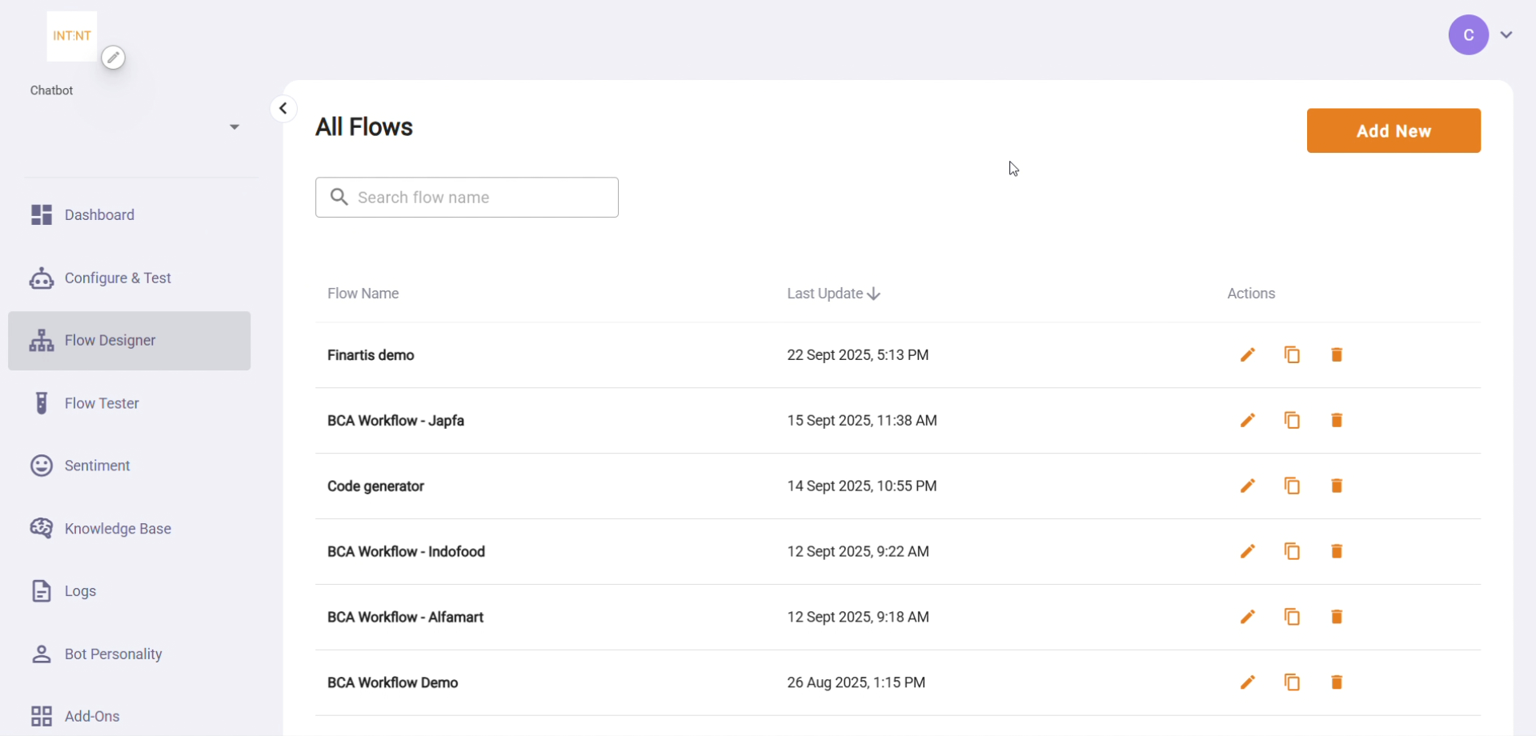
1. Open Flow Designer
- Go to Flow Designer → Add New.
2. Create a Model Node
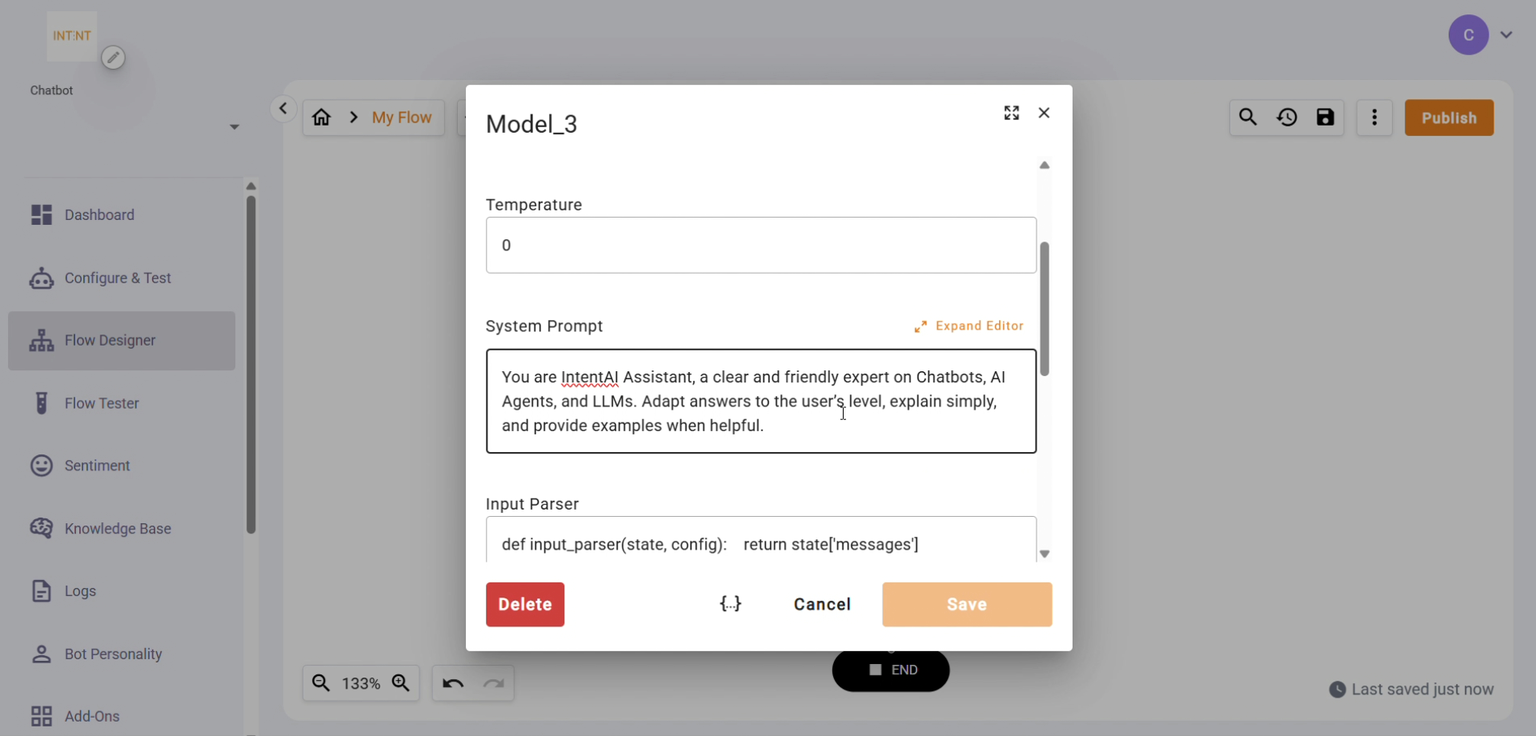
- Click Add Node (top-left) → choose Model Node.
- Under Model Source, select Provided models.
- Set Model to GPT-4o mini.
- In System Prompt, paste:
You are IntentAI Assistant, a clear and friendly expert on Chatbots, AI Agents, and LLMs. Adapt answers to the user's level, explain simply, and provide examples when helpful.
3. Create a Reply Message Node
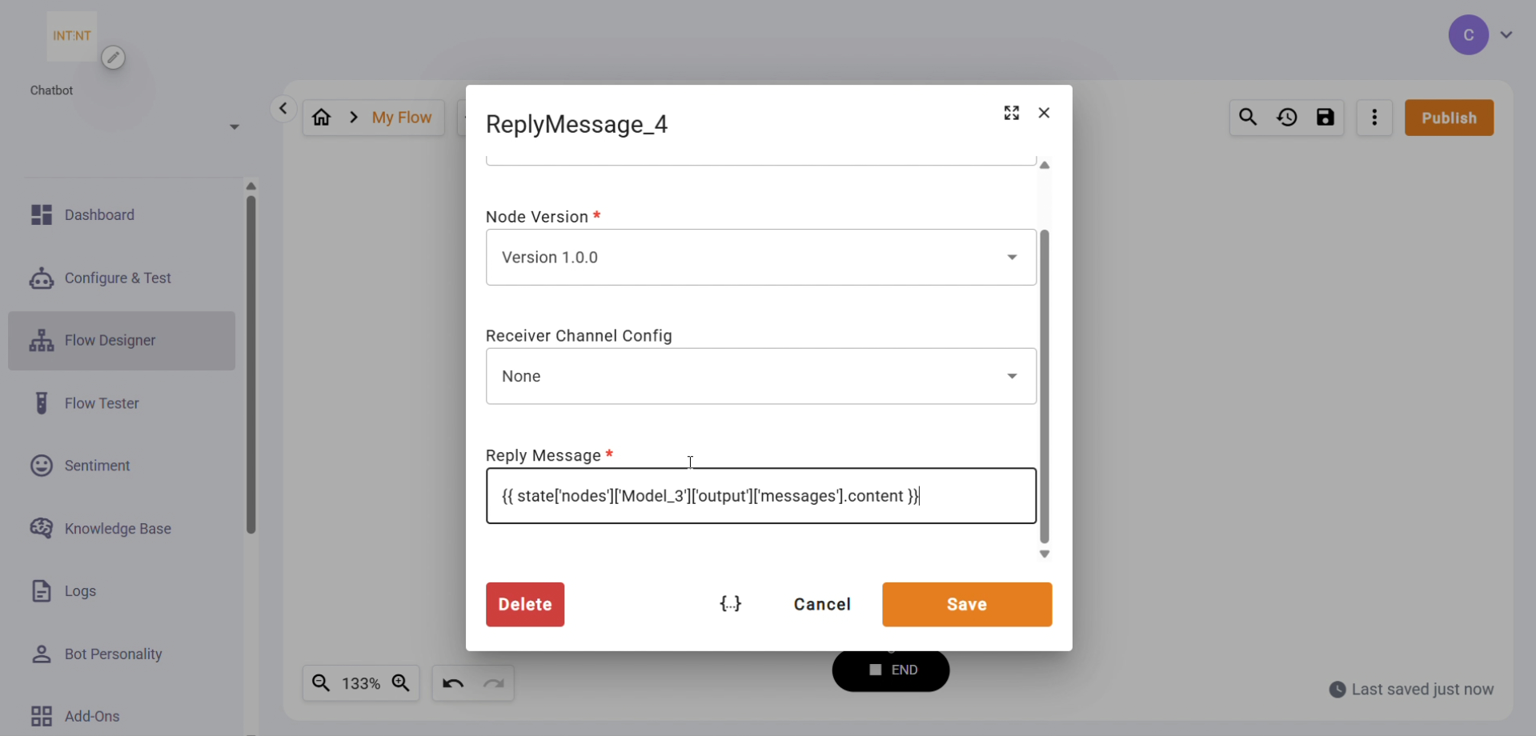
- Click Add Node again → choose Reply Message Node → set Version to 1.0.0.
- In Reply Message, paste (replace Model Name with your actual model node name):
4. Save
- Click Save (top-right).
5. Test the Flow
- Open Flow Tester, select your flow and version, and start chatting.